
ExampleInternal tools
Stock and orders in one place, with a warning when stock runs low
A small tea wholesaler with a warehouse team of five
Orders came in by phone and email, and stock lived in a spreadsheet. The team wanted one list they could all keep up to date from the warehouse floor.
This is an example. The business is made up to show what BurrowHub can do today — it is not a customer, and nothing here is a customer's words or results.
- Their data
- Product spreadsheet
- Orders by phone and email
- BurrowHub's AI
Builds the app from what they asked for
- The appStock and orders
- Teas
- Orders
- Packing
- Who uses it
- The office
- The warehouse team, on phones
The situation
The wholesaler sells loose tea to cafés and shops. Orders arrive by phone and email, stock is counted in a spreadsheet on the office computer, and the warehouse team finds out a tea has run out when they go to pack it.
What they asked for
An app for our stock and customer orders. A list of our teas with how much we have. Orders from cafés with what they ordered and whether it is packed and sent. When we pack an order, the stock should go down. Warn us when a tea is running low.
In their own words, as they'd type it into Create with AI.
What BurrowHub built
They started from Inventory & orders and added their product spreadsheet under From your files. BurrowHub's AI read it and wrote a short description of what it found; the owner corrected two details and then built the app from it.
Screens
- Teas: each product with the amount in stock, marked when it is running low
- Orders: each café's order, with its lines and a status — new, packed, sent
- Packing: marking an order packed takes its amounts off the stock
Data
- Their product spreadsheet, which the AI read to set up the app's lists and columns
- Orders and stock counts, kept by the app itself from then on
The steps in BurrowHub
Real BurrowHub screens, filled with made-up data for this example — the business, the people and the figures are invented. They show how it was set up, not the finished app. The screens are in English.
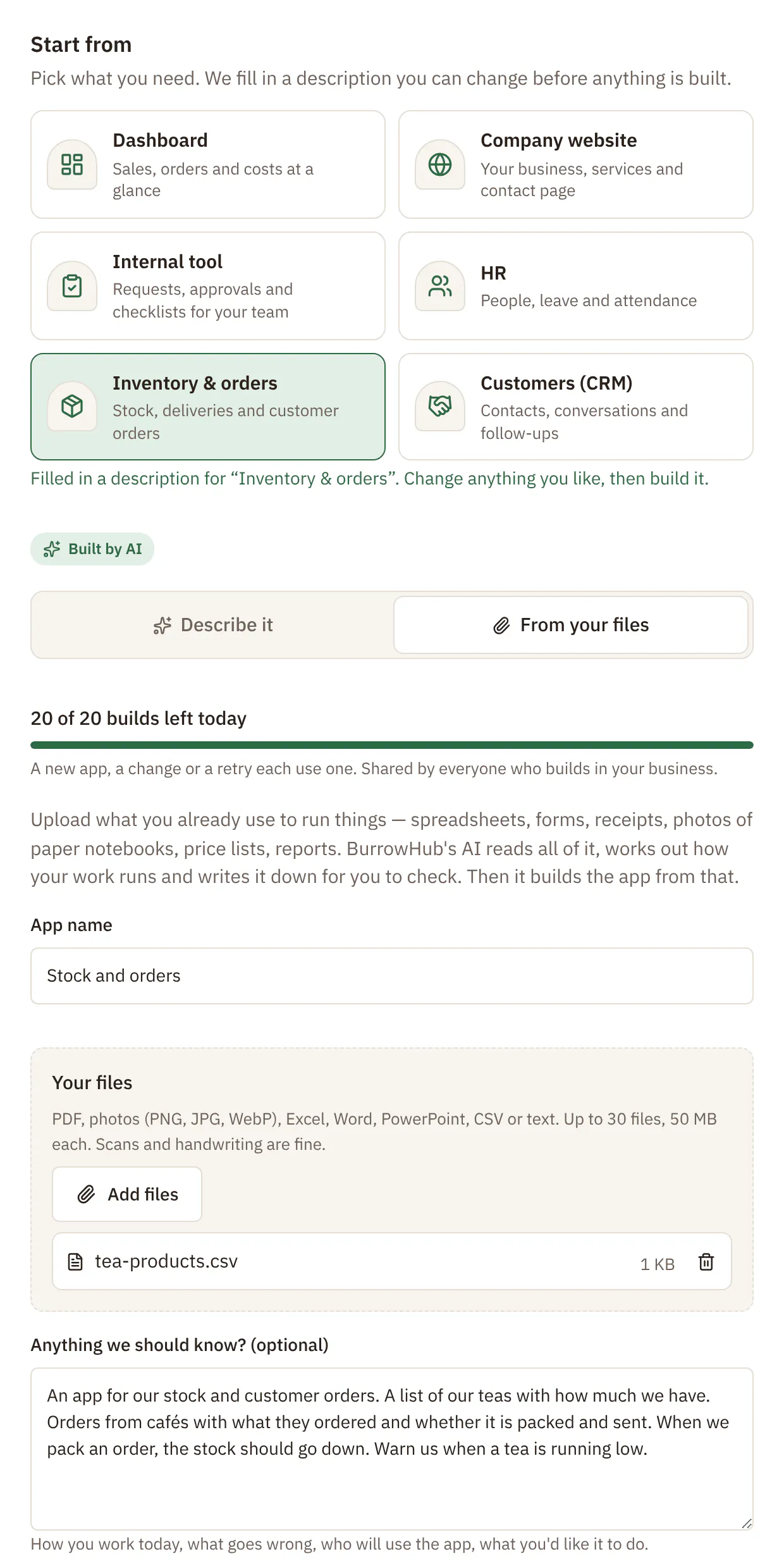 Open the full-size picture
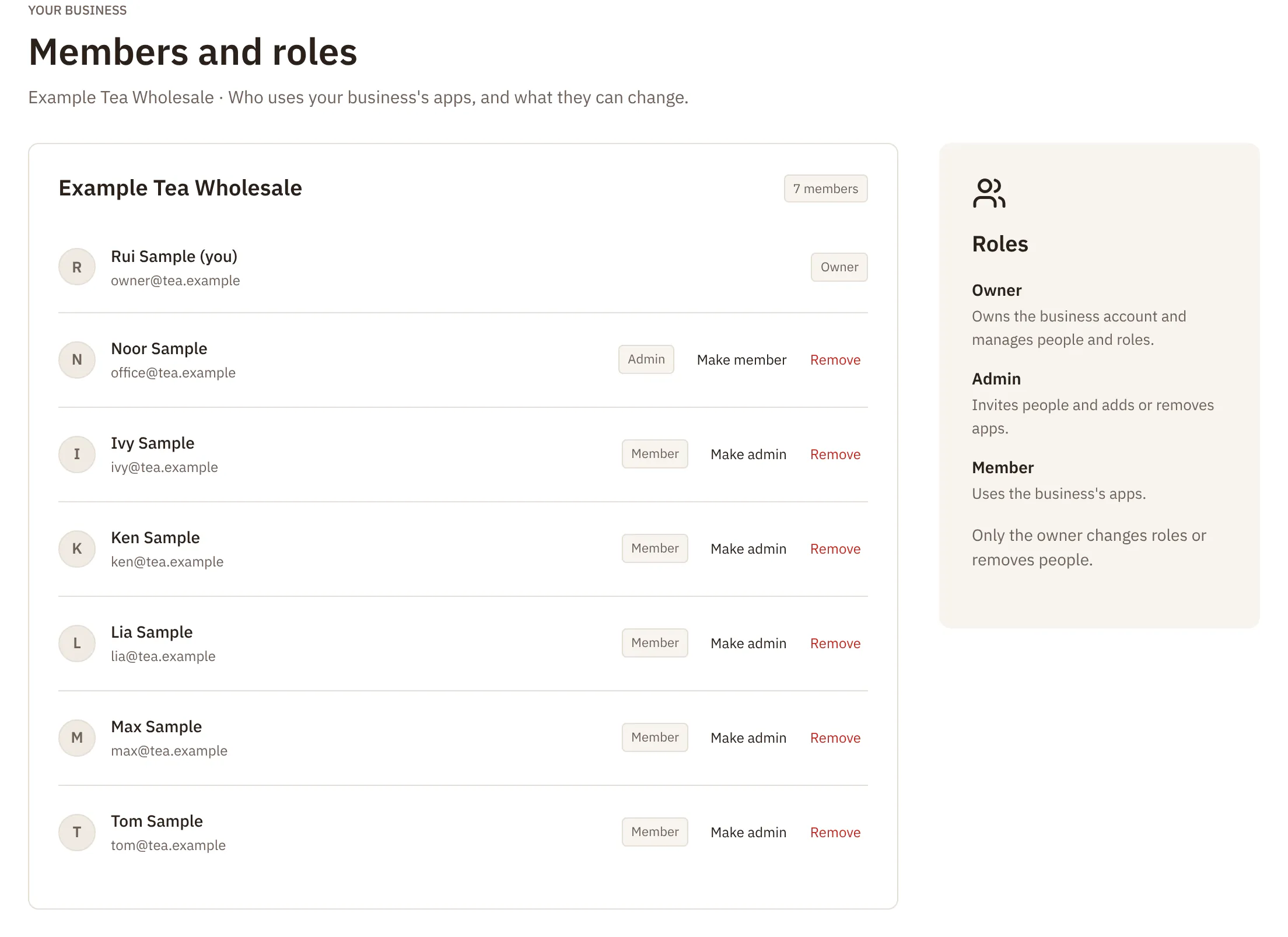 Open the full-size picture
How they use it
- On the first day the team entered their opening stock. Since then, the office adds each order as it is taken by phone or email.
- In the warehouse, the team opens the order on a phone, packs it and marks it packed; the stock goes down.
- Teas that are running low are marked at the top of the list, so the owner can reorder before they run out.
- Only people in the wholesaler's BurrowHub can open the app. Owners and admins can change it; everyone else uses it.
What it doesn't do yet
- It is not accounting software: no invoices, tax or payments.
- It does not connect to an online shop or a delivery company.
- Cafés can't place orders themselves; the team adds them.
- It does not scan barcodes.
BurrowHub features in this story
- Starting points
- Build from your files
- Build with AI by chatting
- People and roles
- Works on phones
Want an app like this for your business?
Tell us a little about your business and what you need, and we'll get back to you.
More examples
- An independent bakery with three shops
A sales dashboard that reads the shops' own spreadsheets
Each shop already kept a weekly sales sheet. The owner wanted one page that showed all three, without copying numbers by hand.Read the story - A dental clinic with about fifteen staff
Leave requests, and a checklist for every new starter
Leave was asked for on paper, and new starters were set up from memory. The practice manager wanted both in one app the staff could use on their phones.Read the story - An architecture studio of four people
A company website in the studio's own look, at its own web address
The studio's old site was out of date, and nobody knew how to change it. They wanted a simple site they could keep up to date by asking for changes in their own words.Read the story