
ExampleDashboards
A sales dashboard that reads the shops' own spreadsheets
An independent bakery with three shops
Each shop already kept a weekly sales sheet. The owner wanted one page that showed all three, without copying numbers by hand.
This is an example. The business is made up to show what BurrowHub can do today — it is not a customer, and nothing here is a customer's words or results.
- Their data
- Sales sheets, uploaded
- Sales sheet in Google Drive
- BurrowHub's AI
Builds the app from what they asked for
- The appSales dashboard
- This week
- Best sellers
- Weeks
- Who uses it
- The owner, on her phone
- Shop managers
The situation
Each of the three shops keeps a weekly sales spreadsheet. One manager saves hers in the business's Google Drive; the other two email theirs to the owner, who copies the totals into a fourth sheet every Monday. Nobody enjoys it, and the summary is always a week behind.
What they asked for
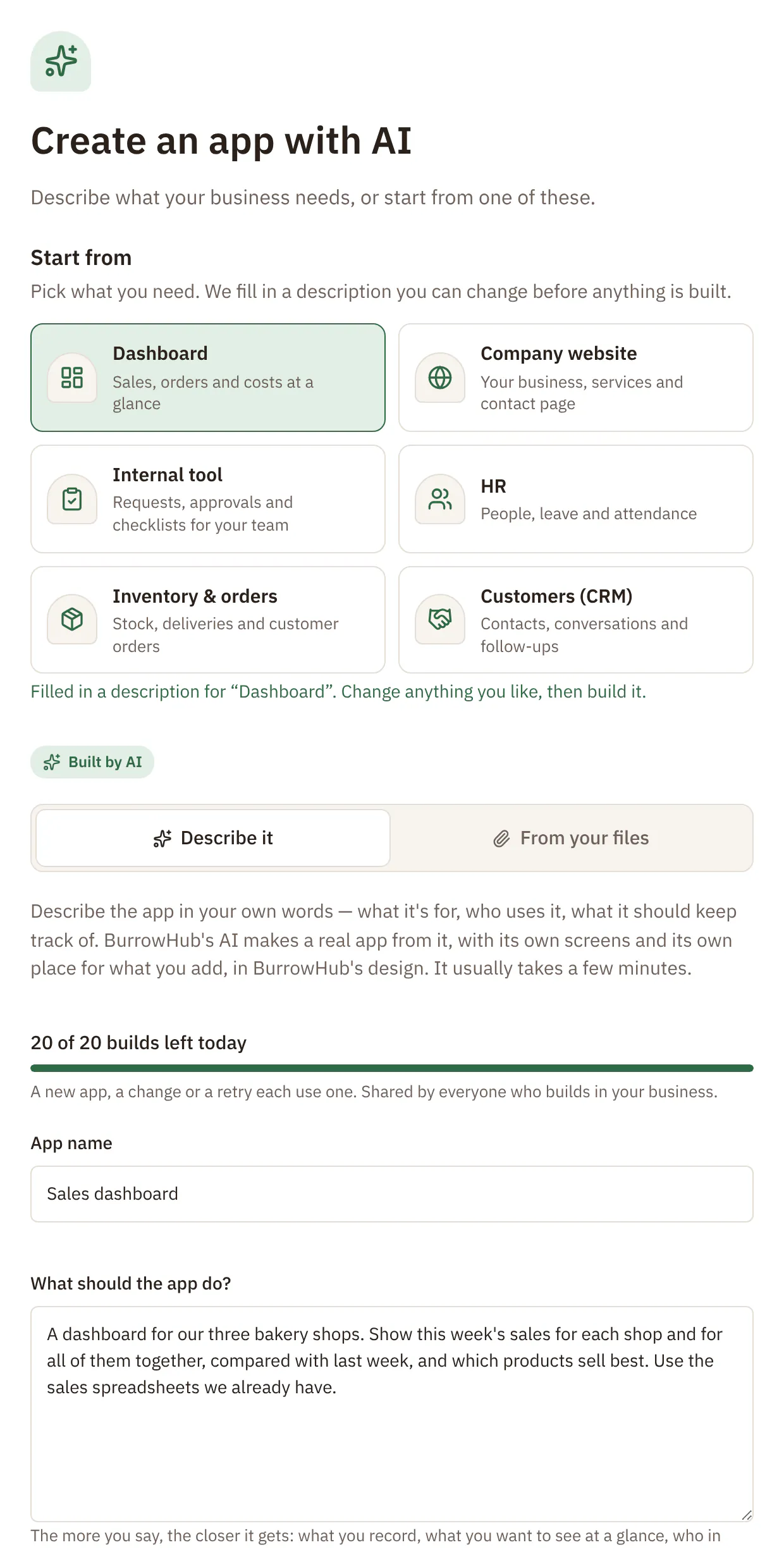
A dashboard for our three bakery shops. Show this week's sales for each shop and for all of them together, compared with last week, and which products sell best. Use the sales spreadsheets we already have.
In their own words, as they'd type it into Create with AI.
What BurrowHub built
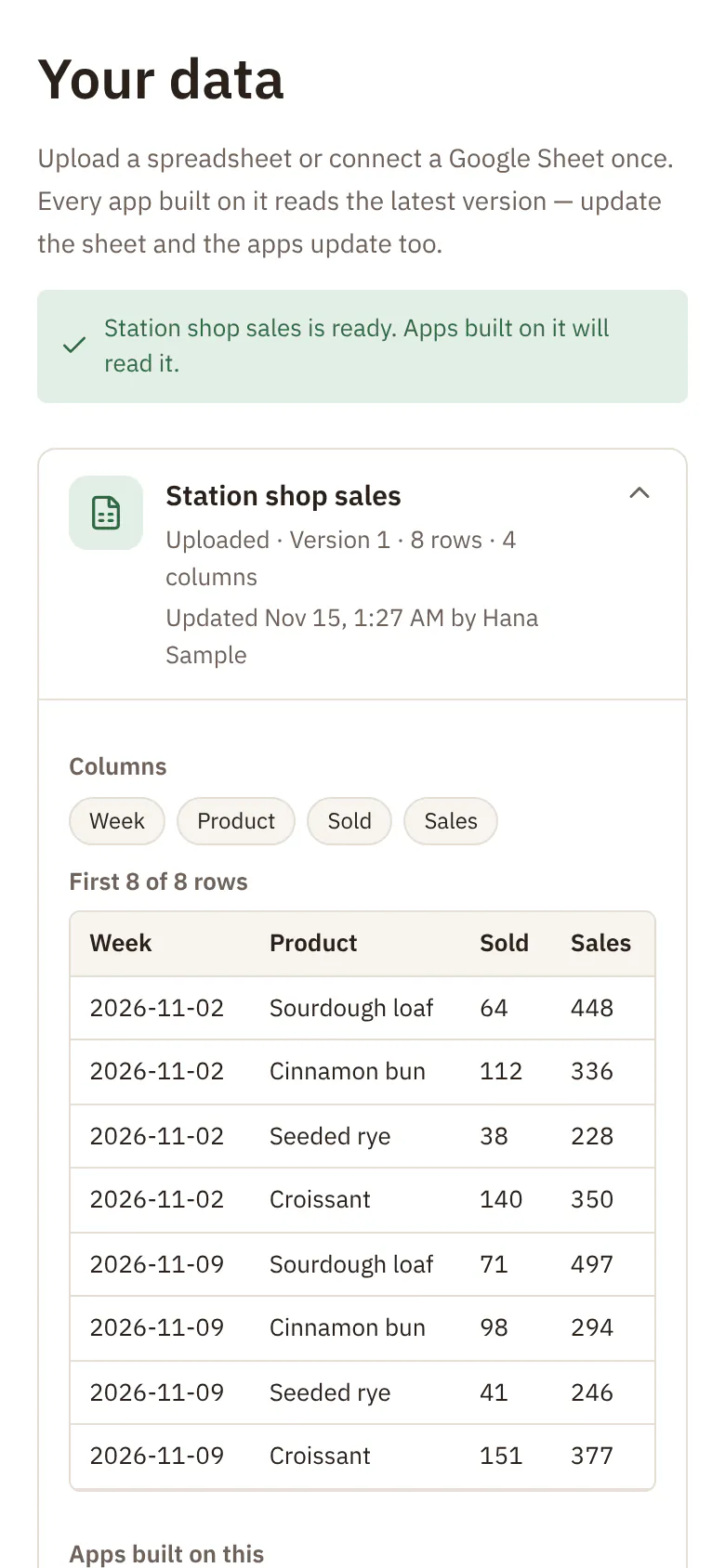
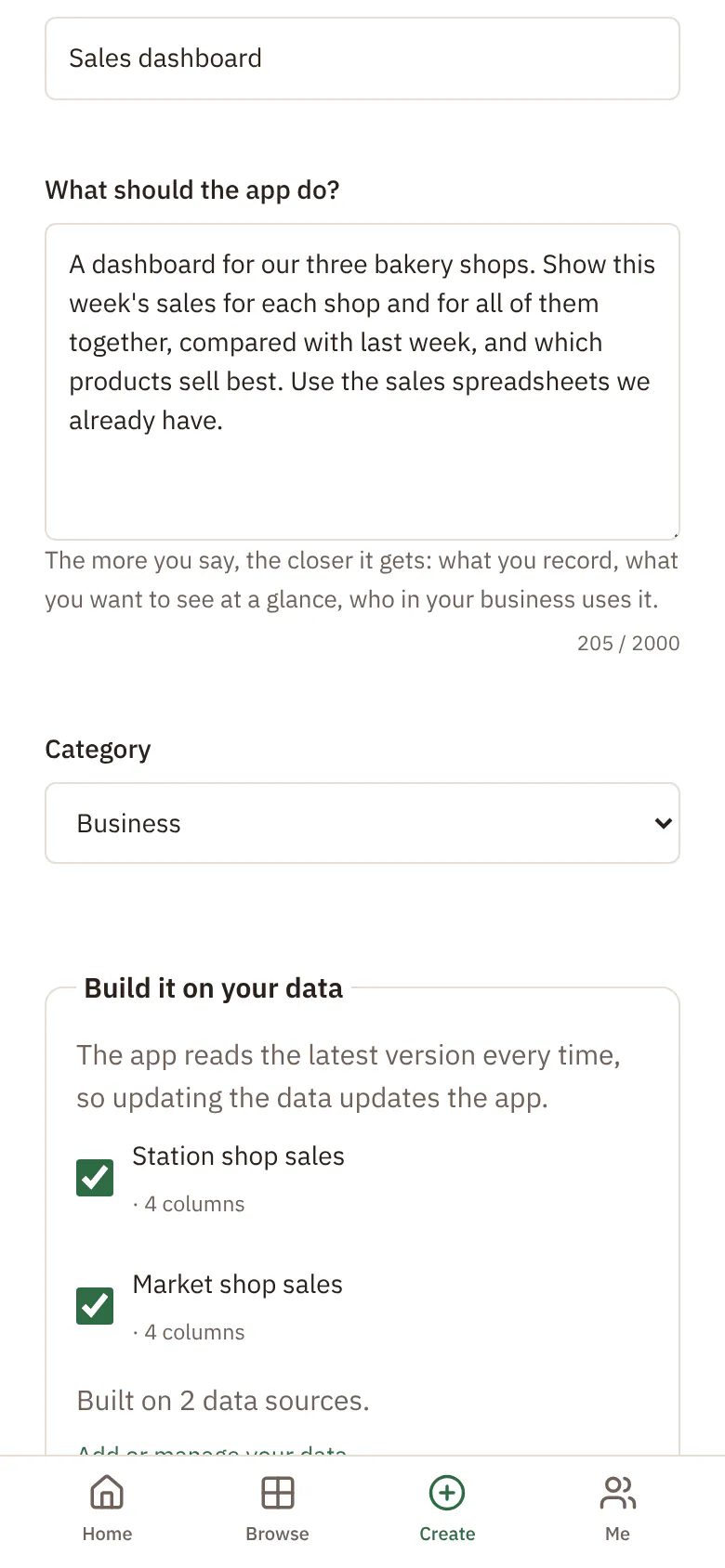
The owner connected the spreadsheets once, on the Your data screen: two uploaded, one from Google Drive. Starting from Dashboard, she chose them when she described the app, and the AI built a dashboard that reads them live.
Screens
- This week: a total for each shop and for all three, next to last week's
- Best sellers: the products that sold most, shop by shop
- Weeks: a chart of sales week by week
Data
- Two sales spreadsheets uploaded to BurrowHub
- One spreadsheet that stays in the business's Google Drive
The steps in BurrowHub
Real BurrowHub screens, filled with made-up data for this example — the business, the people and the figures are invented. They show how it was set up, not the finished app. The screens are in English.
 Open the full-size picture
 Open the full-size picture
 Open the full-size picture
How they use it
- The owner opens the dashboard on her phone on Monday morning, instead of making the summary sheet.
- When the two emailed sheets arrive, she uploads each one as a new version of that shop's data, and the dashboard reads it straight away. The Google Drive sheet is fetched again on a schedule, and she can press Refresh now at any time.
- When she wanted the weekly chart split by shop, she asked for it in the Build with AI chat, tried the new version in the preview, and published it.
What it doesn't do yet
- It reads the spreadsheets; it does not change them. Corrections are still made in the sheets.
- If a manager renames or adds columns, BurrowHub says the data changed shape and offers to rebuild the app with the new columns. That rebuild uses one of the business's builds.
- Google Drive works only where whoever runs BurrowHub has connected it to Google. Uploads work everywhere.
- It does not connect to the shops' tills. It shows what is in the spreadsheets.
BurrowHub features in this story
- Starting points
- Spreadsheets your apps read live
- Google Drive filesNeeds switching on by whoever runs BurrowHub
- Build with AI by chatting
- Preview, then publish
- Works on phones
Want an app like this for your business?
Tell us a little about your business and what you need, and we'll get back to you.
More examples
- A small tea wholesaler with a warehouse team of five
Stock and orders in one place, with a warning when stock runs low
Orders came in by phone and email, and stock lived in a spreadsheet. The team wanted one list they could all keep up to date from the warehouse floor.Read the story - A dental clinic with about fifteen staff
Leave requests, and a checklist for every new starter
Leave was asked for on paper, and new starters were set up from memory. The practice manager wanted both in one app the staff could use on their phones.Read the story - An architecture studio of four people
A company website in the studio's own look, at its own web address
The studio's old site was out of date, and nobody knew how to change it. They wanted a simple site they could keep up to date by asking for changes in their own words.Read the story